

Kling 2.6 Pro in AI Studios : Cinematic Video with Integrated Audio

Generate cinematic video with voice, SFX, and music—all perfectly synced.
Create professional content faster inside AI Studios.
Try Kling 2.6 Pro
Loved by
2,000,000+ Users
aws logo
bmw logo
intel logo
lenovo logo
pfizer logo
seveneleven logo
lg logo
hsbc logo
lotte logo
samsung logo
kb logo
shinhanbank logo
kyowon logo

Why AI Studios for Kling 2.6 Pro?

Kling 2.6 brings cinematic video generation with synchronized voice, sound effects, and music into one workflow.
 Create complete video stories faster
—without complex post-production.

One Smooth Workflow

Everything synced—automatically.

Generate video, voice, sound effects, and background music in one prompt.
No tool-hopping. No manual syncing. Just publish-ready results in minutes.
Try Kling 2.6 Pro

Maximize Efficiency

Visual Anchoring TechnologyDialogue stays tied to the right character.

Kling 2.6 matches voice to the correct speaker—even in complex, multi-character scenes.
Tag characters and actions, and the model keeps audio aligned with who’s speaking.
Try Kling 2.6 Pro

Structured Dialogue Format

Direct tone, emotion, and pacing like a real script.

Use a structured prompt format to control how each character speaks—from calm narration to intense confrontation. AI Studios turns your prompt into a production-ready scene.
Try Kling 2.6 Pro
How To

How to Create with Kling 2.6 in AI Studios

01

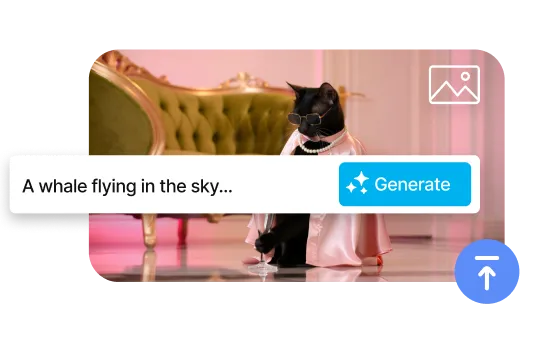
Write Prompt & Upload an Image

Describe the scene, dialogue, and audio cues.
 Optionally upload a reference image to guide style and composition.
02

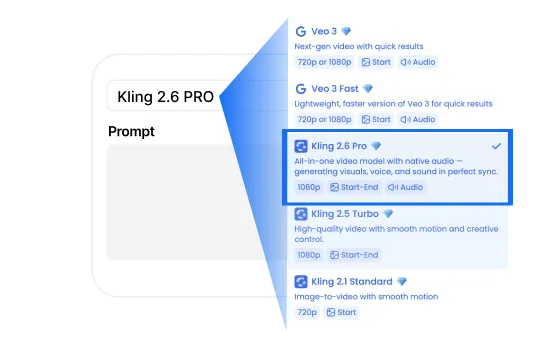
Select Kling 2.6 Pro

Generate video and audio in one shot.
 Kling creates visuals, narration, sound effects, and music—perfectly synced.
03

Edit & Download

Fine-tune and export instantly.
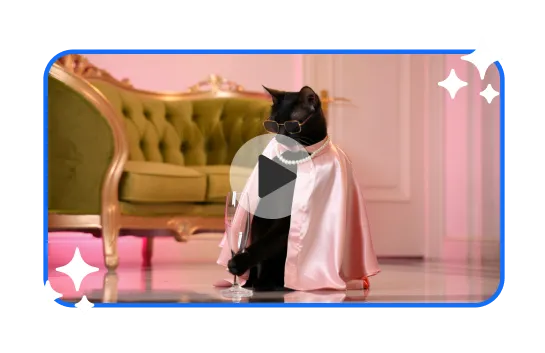
 Download your video or continue editing inside AI Studios—ready to publish.
Benefits

Everything You Need for Cinematic AI Videos

Create professional videos with synchronized audio in minutes. Generate complete stories with Kling 2.6 Pro—video, dialogue, sound effects, and music—from a single prompt.
All-in-One Editor for Faster Video Creation

Generate, Edit, and Export—All in One Place

Create and refine your videos in AI Studios with a built-in editor.
 Adjust visuals, timing, and audio—then export instantly.
7,000+ Templates for Any Project

150+ Languages
& 1,000+ Voices

Localize across markets with natural AI voices in AI Studios.
Kling 2.6 Pro keeps dialogue aligned with the right speaker—scene by scene.
One-Click AI Avatar Videos

All Leading AI Models in One Place

Access Kling 2.6 Pro, Sora, Veo, and more in one platform.
Choose the best model for each project—and keep everything in a single workflow.
Use case

Kling 2.6 Pro Use Cases in AI Studios

See how creators, marketers, and teams use Kling 2.6 in AI Studios to generate cinematic videos with synced audio—faster.
🎥

Content Creators / Filmmakers

Create story-driven scenes with dialogue, sound effects, and music—generated together.
Ideal for short-form content, pitches, and pre-production.

Best for: Shorts, pitches, pre-production

⭐️

Ads & Marketing

Produce video ads with voiceover and sound in minutes.
Create product demos, social creatives, and localized campaigns.

Best for: Demos, UGC-style ads, localization

🎓

E-learning & Presentations

Generate training videos with clear narration and synced visuals.
Perfect for explainers, onboarding, and multilingual learning content.

Best for: Training, onboarding, explainers

FAQ

What is Kling 2.6 Pro?

Kling 2.6 Pro is an AI video model that generates cinematic videos with synced audio. In AI Studios, you can create video, voice, sound effects, and music from one text prompt.

What can Kling 2.6 Pro do in AI Studios?

It can generate video and audio together. This includes voice narration, sound effects, and background music in one result.

What is the difference between Kling 2.6 and Kling 2.6 Pro?

Kling 2.6 Pro offers stronger audio-video sync, better multi-character control, and structured dialogue support. It is made for more professional results.

How do I use Kling 2.6 Pro in AI Studios?

Open the AI Video Generator in AI Studios. Select Kling 2.6 Pro, write your prompt, upload a reference image if needed, and click Generate. Then you can edit and download.

What features does Kling 2.6 Pro offer?

It supports integrated audio generation (voice, SFX, music). It also supports Visual Anchoring for multi-character scenes and structured dialogue for detailed voice control.

What is Visual Anchoring?

Visual Anchoring helps the model match the correct voice to the correct character. It is useful when multiple characters speak in the same scene.

What is Structured Dialogue Format?

Structured Dialogue lets you control how a character speaks. You can set emotion, tone, and pacing using a simple format inside your prompt.

Is Kling 2.6 Pro in AI Studios the same as the original Kling 2.6 Pro?

AI Studios uses Kling 2.6 Pro technology for video generation and audio sync. Some features or policies may differ depending on the AI Studios environment.

Can I use Kling 2.6 Pro videos for commercial use?

Commercial use is usually allowed under AI Studios terms. Please check the latest policy for your region or project type.

What file formats are supported?

AI Studios typically exports videos in MP4 format. For reference images, common formats like JPG and PNG are supported.

How long can Kling 2.6 Pro videos be?

Video length depends on your settings and plan. AI Studios is optimized for short cinematic clips with synchronized audio.

How do I write prompts for Kling 2.6 Pro?

Use a clear format like: Scene + Character + Action + Audio + Style. For dialogue, you can use: [Character, emotion, tone]: "dialogue".

What languages does Kling 2.6 Pro support?

Kling voice generation supports Chinese and English. For localization, you can use AI Studios dubbing to translate and dub your video into 150+ languages.

Who is Kling 2.6 Pro best for?

It is best for creators, marketers, filmmakers, and education teams who need cinematic videos with synced audio quickly.

What Will You Create?

Unlock New Creative Ideas in AI Studios!
Create videos that inspire, educate, & captivate today.
