




使用共同生成的对话、音效和音乐创建以故事为导向的场景。
非常适合短篇内容、宣传和前期制作。
最适合: 短片、宣传片、前期制作
在几分钟内制作带有画外音和声音的视频广告。
创建产品演示、社交广告和本地化活动。
最适合: 演示、UGC 风格的广告、本地化
生成具有清晰叙述和同步视觉效果的培训视频。
非常适合讲解员、入门培训和多语言学习内容。
最适合: 培训、入职、讲解
Kling 2.6 Pro is an AI video model that generates cinematic videos with synced audio. In AI Studios, you can create video, voice, sound effects, and music from one text prompt.
It can generate video and audio together. This includes voice narration, sound effects, and background music in one result.
Kling 2.6 Pro offers stronger audio-video sync, better multi-character control, and structured dialogue support. It is made for more professional results.
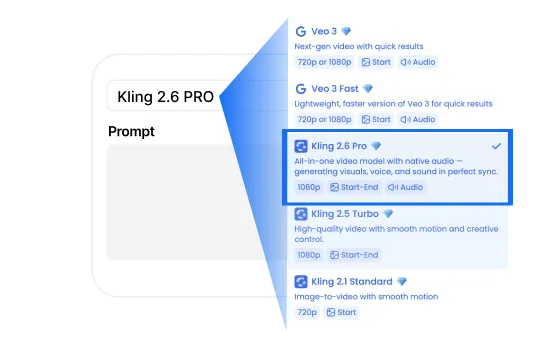
Open the AI Video Generator in AI Studios. Select Kling 2.6 Pro, write your prompt, upload a reference image if needed, and click Generate. Then you can edit and download.
It supports integrated audio generation (voice, SFX, music). It also supports Visual Anchoring for multi-character scenes and structured dialogue for detailed voice control.
Visual Anchoring helps the model match the correct voice to the correct character. It is useful when multiple characters speak in the same scene.
Structured Dialogue lets you control how a character speaks. You can set emotion, tone, and pacing using a simple format inside your prompt.
AI Studios uses Kling 2.6 Pro technology for video generation and audio sync. Some features or policies may differ depending on the AI Studios environment.
Commercial use is usually allowed under AI Studios terms. Please check the latest policy for your region or project type.
AI Studios typically exports videos in MP4 format. For reference images, common formats like JPG and PNG are supported.
Video length depends on your settings and plan. AI Studios is optimized for short cinematic clips with synchronized audio.
Use a clear format like: Scene + Character + Action + Audio + Style. For dialogue, you can use: [Character, emotion, tone]: "dialogue".
Kling voice generation supports Chinese and English. For localization, you can use AI Studios dubbing to translate and dub your video into 150+ languages.
It is best for creators, marketers, filmmakers, and education teams who need cinematic videos with synced audio quickly.

Deepbrain AI的视频生成器和对话式人工智能技术旨在弥合人机交互优势和数字便利性之间的差距。
了解我们的 AI 头像如何帮助您的项目和业务更高效地扩展并减少成本和时间,同时不影响质量。



深脑人工智能,
Inc.540 大学大道,200 号套房,加利福尼亚州帕洛阿尔托 94301
