




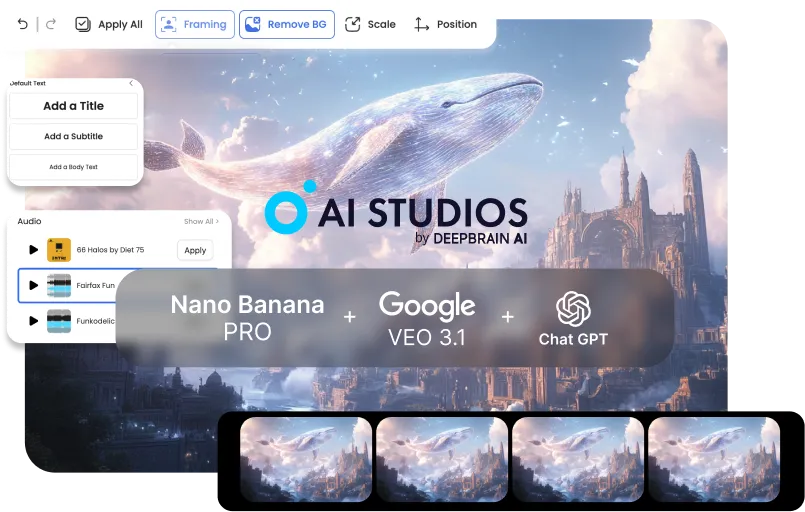



Créez des vidéos de formation et de communication interne professionnelles en quelques minutes. Transformez les politiques, l'intégration et les mises à jour produits en contenu clair et cohérent — sans surcharge de production importante.
Lancez des campagnes et du contenu commercial plus rapidement grâce à un workflow vidéo de bout en bout. Générez des visuels captivants, convertissez-les en ébauches animées et finalisez les scripts et sous-titres pour chaque canal.
Produisez des vidéos de haute qualité en solo — rapidement et de manière cohérente. Des tutoriels au storytelling, passez des images aux vidéos finalisées dans un seul pipeline, avec un minimum de montage et de retouches.


Start with defaults: a clear prompt for planning, 3–5 key images in one style, and a basic motion preset for the rough cut.BRefine only after the draft is done to avoid early rework.
It’s less ideal for fully live-action projects, VFX-heavy frame-by-frame work, or one-off single-tool tasks. This pipeline wins when stages connect end-to-end.
Start from your current tool and plug into the next stage: script → key images → video draft → finishing. AI Studios shines when outputs flow forward without manual handoffs.
Usually 3–5 key images per video are enough for a coherent rough cut. Add more only if you need extra continuity or scene variation.
Lock a single style direction during key image generation (same preset + reference look). Carry that style into Veo’s motion settings for stable continuity.
Repeatable formats like training, explainers, product demos, social ads, and tutorial series benefit the most. They need consistent visuals and fast iteration—exactly what the pipeline optimizes.
With a clear brief, you can go from concept to a rough cut in under 10 minutes. Most time savings come from skipping exports, conversions, and rework loops.
No—simple structured prompts work great: goal, audience, tone, and scene outline. The workflow is designed to succeed with minimal prompt complexity.
Instead of paying for three separate Pro plans (and extra credits), you use one bundled workflow plan. That single subscription covers the core pipeline end-to-end, so your total monthly spend stays predictable.
Yes—each stage outputs clean, shareable assets (brief → images → draft → finishing notes). That keeps handoffs smooth and reduces alignment overhead.
Update only the weak stage (script, key images, or motion draft) instead of rebuilding everything. Because the pipeline is modular, iterations stay quick and controlled.

Le générateur vidéo et la technologie d'IA conversationnelle de Deepbrain AI visent à combler le fossé entre les avantages de l'interaction humaine et la commodité numérique.
Découvrez comment nos avatars d'IA peuvent aider vos projets et votre entreprise à évoluer plus efficacement et à réduire les coûts et les délais, le tout sans compromettre la qualité.



IA DeepBrain,
Inc. 540 University Avenue, Suite 200, Palo Alto, CA 94301



.webp)
.webp)
.webp)
.webp)










.png)


